SPHERELY FOR PICKLEBALL
Edit pickleball faster. Improve with AI.
Import a pickleball video in Spherely to find rallies automatically or review your technique with AI feedback. Keep the clips and feedback you want to revisit in your growth profile. Available features vary by app version.
Download Spherely Download for Android
Available for iPhone and Android
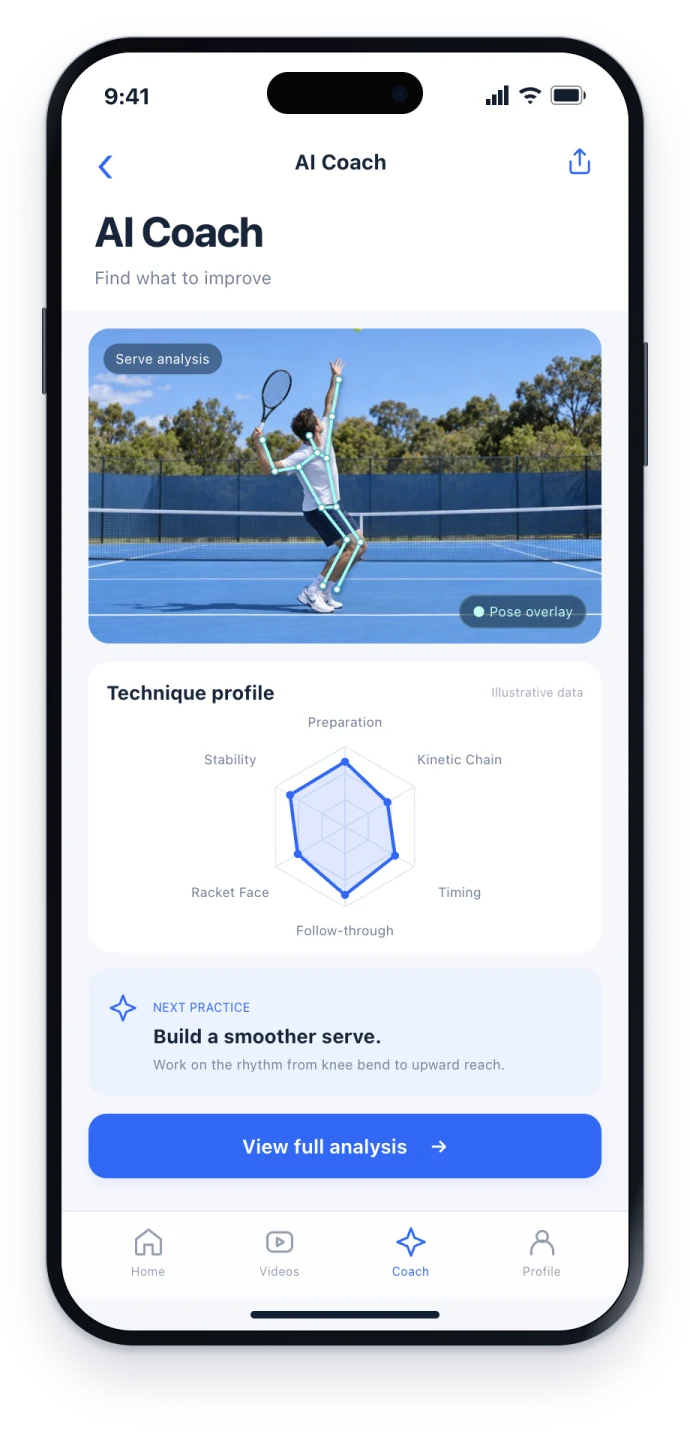
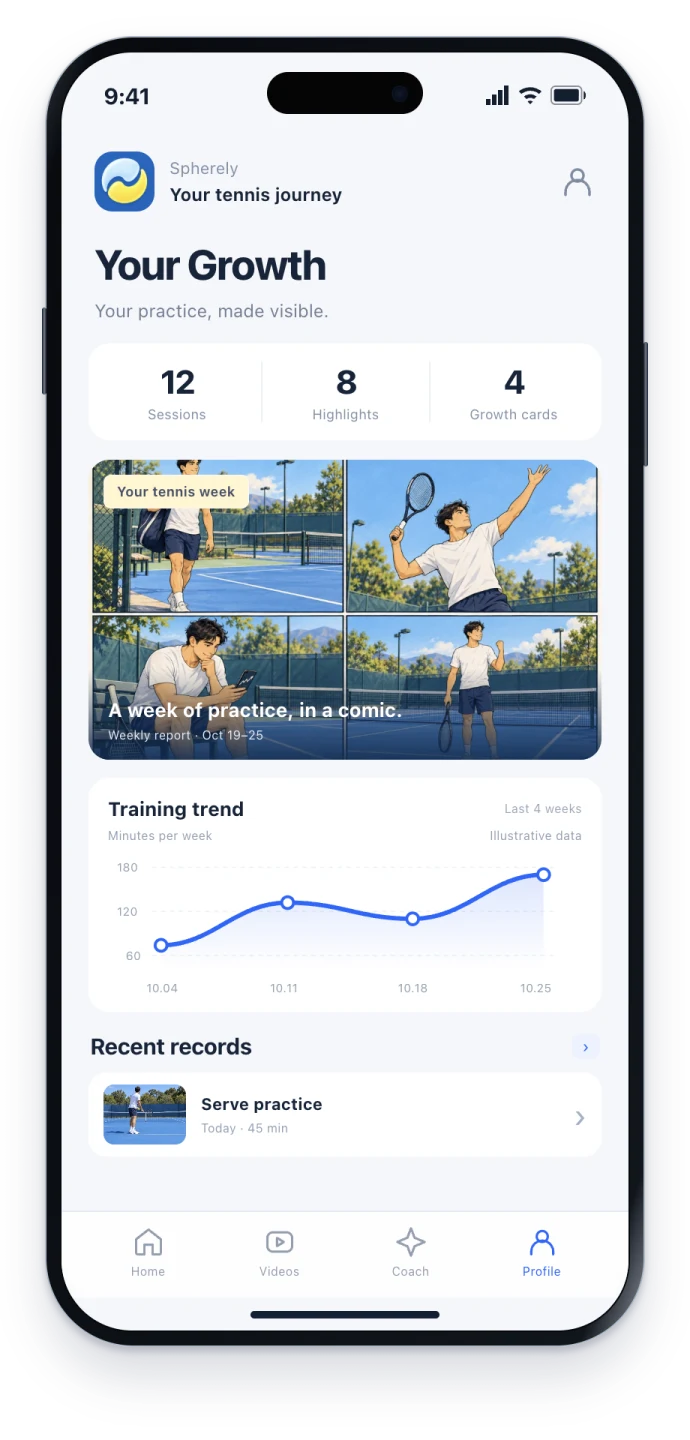
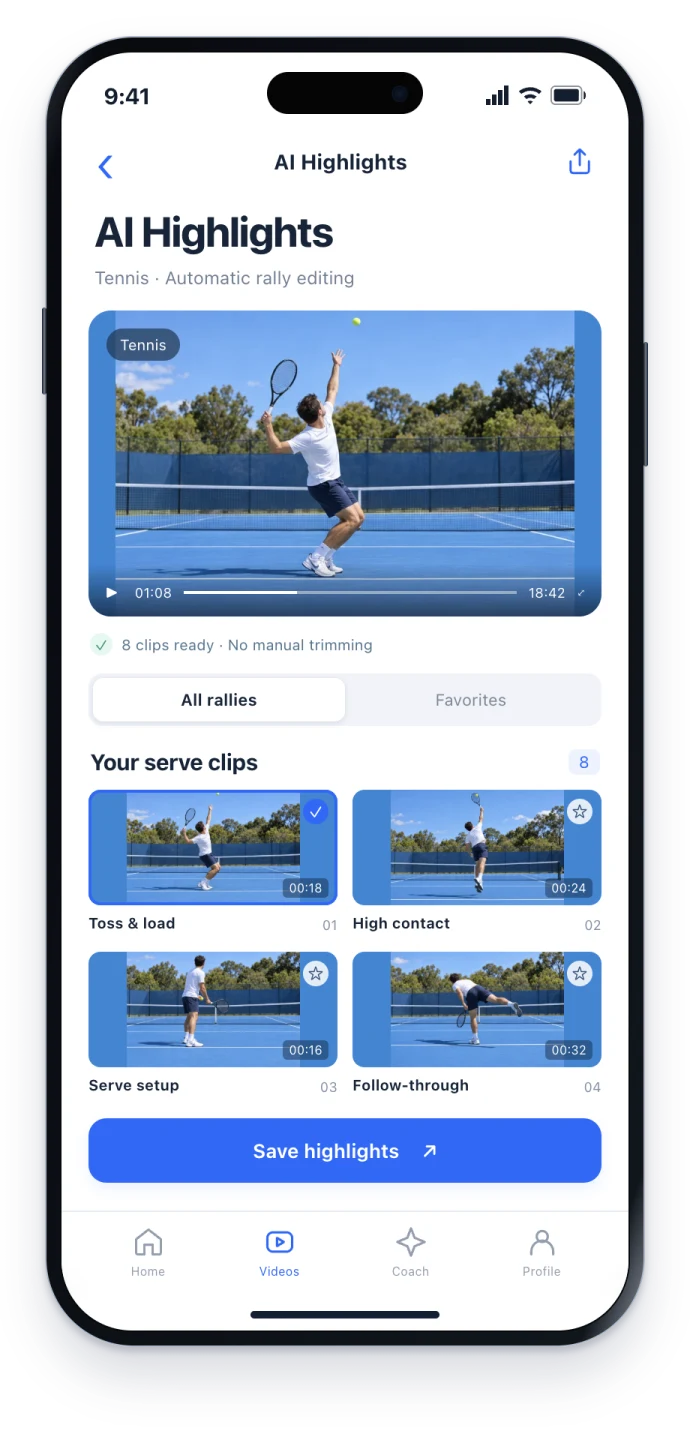
Recreational games get recorded. The review waits until next week.
Recording a recreational pickleball game on a phone is common. Cutting a few point exchanges or kitchen-side rallies by hand is a chore, and you still want one practice takeaway: was the volley prepared early enough, and why did the third shot keep hitting the net?
Spherely includes pickleball on its list of supported racket sports, with three clear paths: finding playing clips automatically, AI technique feedback, and a growth profile. Available features vary by sport and app version.
Find the rallies automatically
Find the playing clips in a long recording, then choose what to save or share. It fits when you want a few clips for a partner or coach, not a broadcast package.
Import the video inside the app. This website cannot accept uploads. iPhone and Android are both available.
AI technique feedback
Get technique feedback and practice suggestions for a movement or shot video. Work on one or two points, then film a short clip and check again.
Record a short clip of one shot, such as a volley. Keep your feet and paddle in view so you can review your preparation and contact.
Growth profile
Training videos, AI suggestions, and history can be kept together. You can also review them alongside weekly and monthly reports, as available in the current version.
Filming cues
- Keep the relevant court and players visible, and keep the frame steady. Record a few test seconds before the full session.
- If you want movement feedback, keep the hitter's full body, or the full swing, in frame.
- The general principles are in the filming guide.
How to choose among pickleball tools
| What you care about | Spherely / 小球圈 | PB Vision |
|---|---|---|
| Automatic editing / highlights | Find clips, then choose what to save. How deep pickleball support goes depends on the current version. | Highlight-related capabilities, as described on pb.vision. |
| Pickleball skill ratings / 3D replay | This page focuses on editing and technique suggestions. See the app for what is available. | Pickleball skill ratings, 3D game reconstruction and shot-by-shot review. |
| AI coach | Technique feedback and practice suggestions. | AI Coach, as described on their site. |
| Multiple sports | Several racket sports. Capabilities vary by sport and app version. | Focuses on pickleball. |
| Platform | iPhone and Android. | See their product page. |
PB Vision features are based on its official product page. pb.vision
Start with these questions
- Do I need pickleball-specific skill scores or 3D review, or do I want clip editing, technique suggestions, and several racket sports in one app?
- Am I comfortable with capabilities that change by version, and with feedback that is not an official rating?
- Will I mostly work on my phone, or do I need a facility-camera setup?
Schools and events
If you are looking at pickleball in a school or event collaboration, you can read an on-site story. Personal downloads still go through the app.
Record a pickleball game
Record pickleball with a phone: choose a match or technique view, keep players and paddle visible, test the framing and organise the clip for review.
Edit pickleball rallies
Turn a pickleball recording into useful clips with Spherely on iPhone or Android. Learn what to check before saving highlights or reviewing a rally.
School collaboration story
Beijing Information Science and Technology University pickleball course report. This page is a course record, not a product feature list.
Racket sports video guides
Film and edit tennis, pickleball, badminton and table tennis videos. Find AI coaching guidance, tennis rules, practice plans and match-review templates.
Cost and boundaries
- Paid plans are shown in the app.
- This is not an official rating, and it does not replace a coach. Spherely is not a referee system that automatically calls kitchen faults.
- Capabilities vary by sport and app version.
One app. Six sports.
Built around the sports you keep coming back to.
A FEW THINGS TO KNOW
Pickleball questions
Can I use Spherely for pickleball?
Yes. Current editing and coaching capabilities follow the current app version.
How is this different from PB Vision?
PB Vision analyzes full pickleball games and offers skill ratings and 3D review. Spherely offers automatic editing, technique feedback and a growth profile across racket sports.
Is there an Android app?
Yes. Use the Android download page.
Can I upload a video on this website?
No. Import the video inside the app.

A practical next step
Download Spherely, import one pickleball video, and find the clips first. When you have a clear short movement clip, try the AI coach.
Download. Import a pickleball video. Take one focus back on court.
Download Spherely Download for Android
Available for iPhone and Android