SPHERELY FOR TABLE TENNIS
Spend less time editing. See the table tennis stroke with AI.
Spherely supports table tennis. In the mobile app, import a practice or match video, organize the playing clips, and review technique feedback. What you can do depends on the app version. If you mainly want live swing correction or a table-tennis-specific 3D diagnosis, you can also look at 乒小智, 迹时运动(原乒派) and similar products, and choose what fits.
Download Spherely Download for Android
Available for iPhone and Android
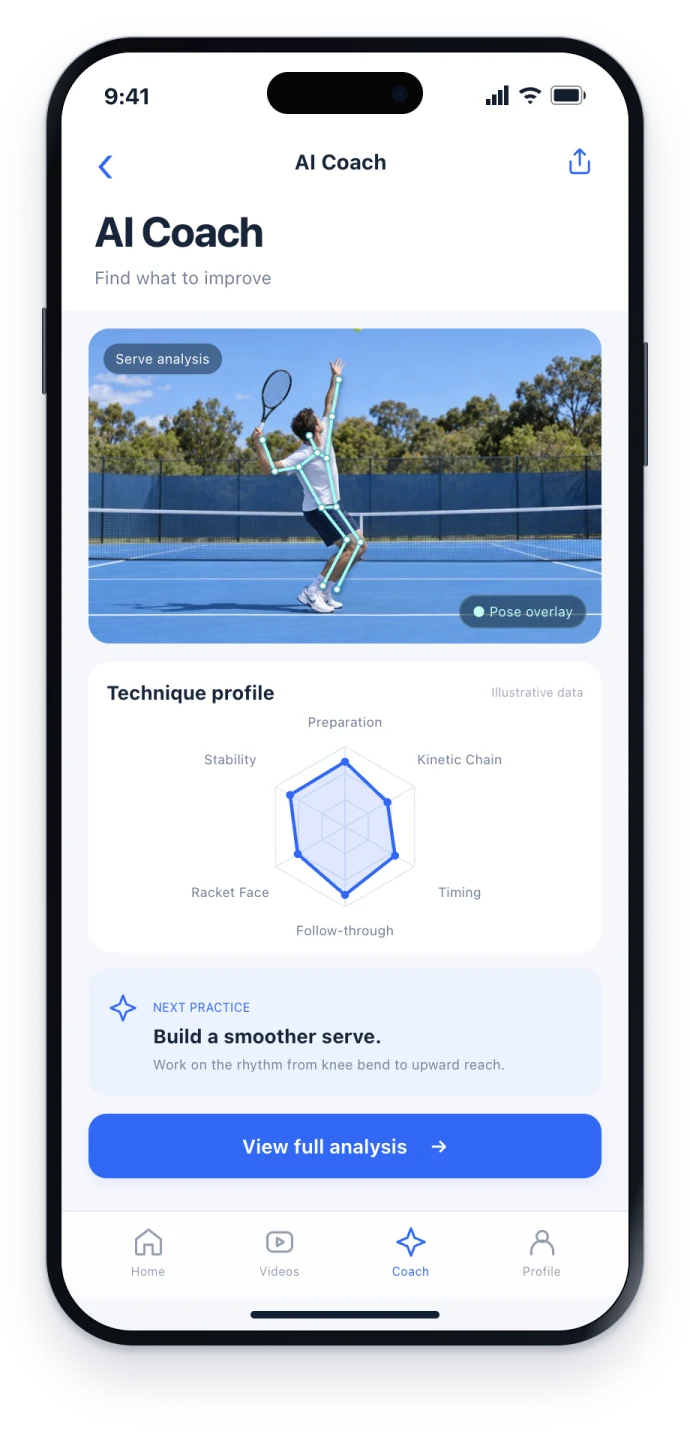
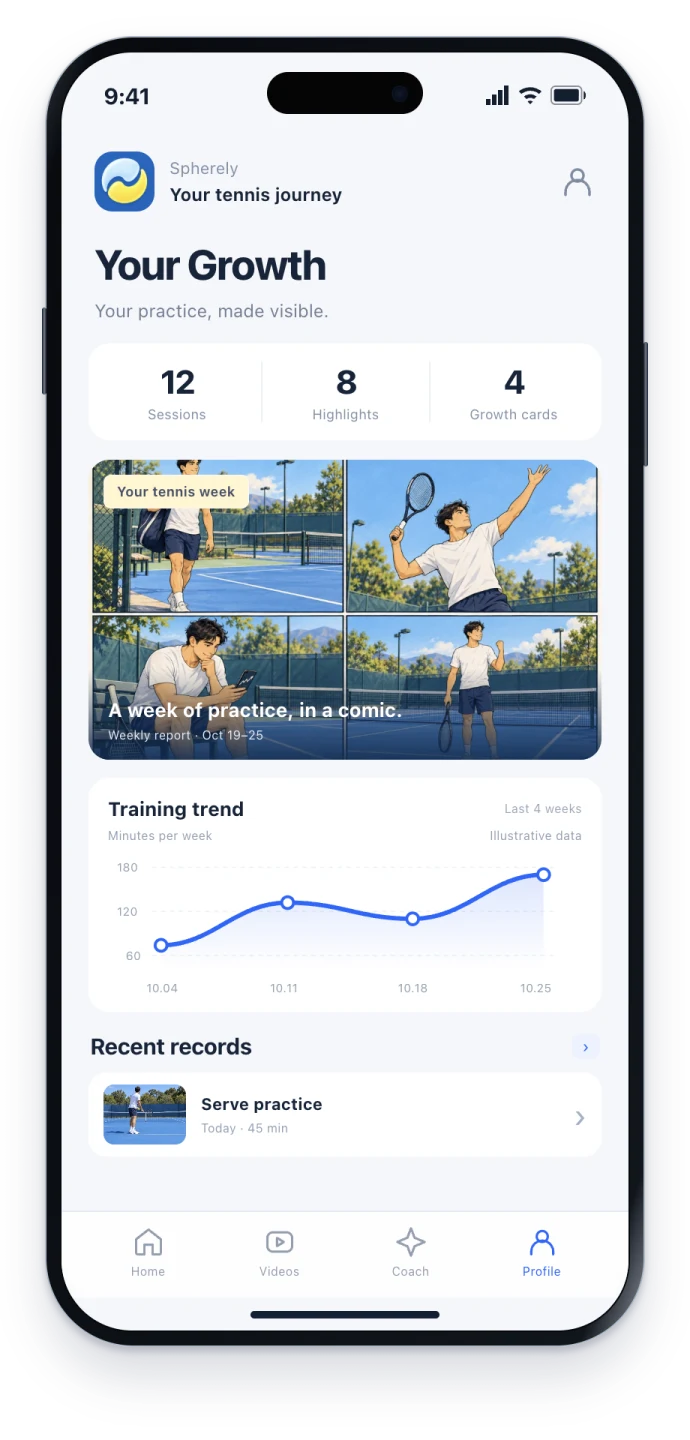
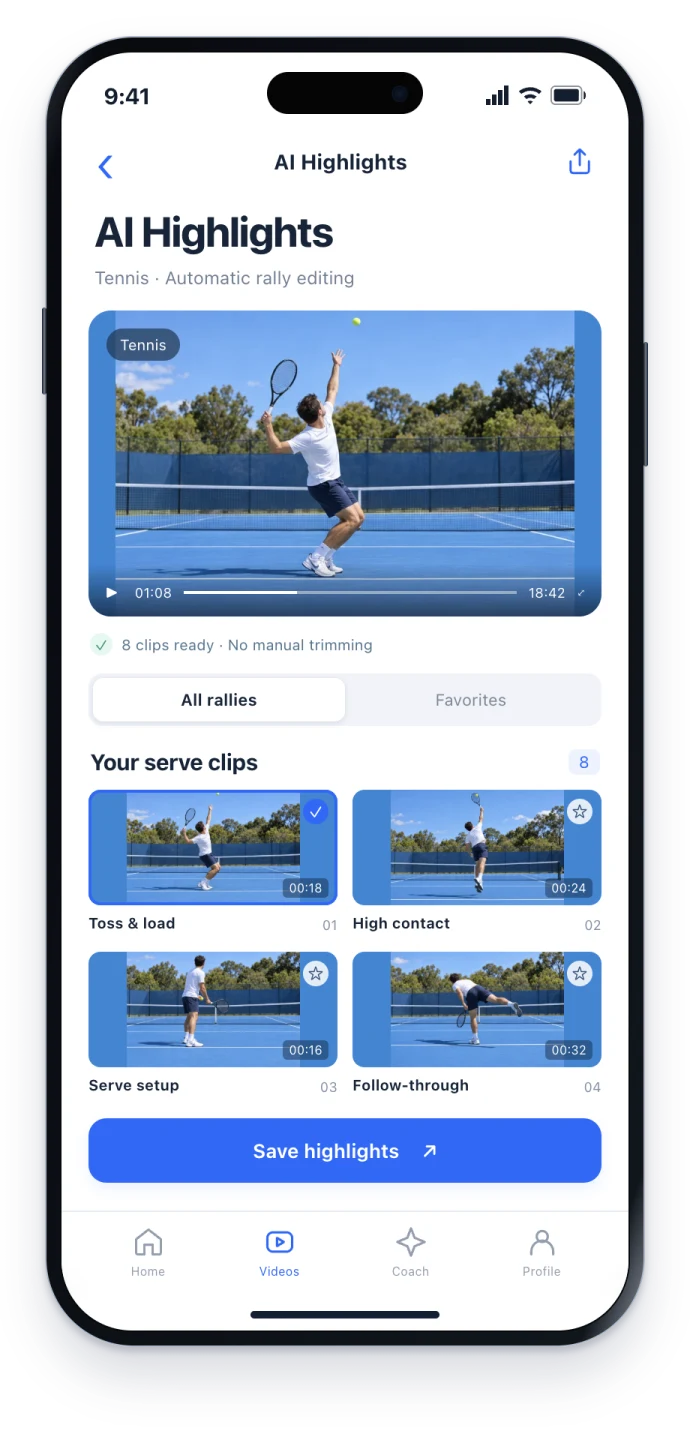
Reviewing a close-table sport is hard
Table tennis rallies are fast, the ball lands close, and the paddle face is small. A phone set down at random often shows a clear face and an unclear ball, or turns the whole session into a blur. Cutting out one quality rally takes a long time. Talking about whether the backswing started early enough, or whether the recovery stayed too high, still needs a clear movement clip and one practice focus you can use.
Spherely includes table tennis among its supported sports, with clip organization, technique feedback and a growth profile. A close-table sport depends especially on how you film, and the available features also differ by version.
Find the rallies automatically
AI finds the playing clips in a long recording, and you choose what to save. It is for keeping a few clips to show a coach or a practice partner, not for packaging a broadcast.
Import in the app, review the clips, then choose what to save. This website cannot upload video. You can download the app for iPhone or Android.
Check in the current app whether the recognition is as detailed as you need.
Technique feedback and practice suggestions
After you import a clear movement video, you can review technique feedback, a direction to improve and practice suggestions. Change one or two points at a time, such as when the backswing starts or how high you recover after contact, then film a short clip and look again.
Use the screen you see after you open the app.
How to film a close-table sport
- Decide the purpose first: organize multiball or match rallies, or review one technique.
- For movement analysis, frame the playing arm and the full swing. Avoid filming only the upper body and cutting off the paddle.
- Distance and light: too far away, the paddle face disappears. Backlight or flickering lights fail more often.
- Record a few test seconds before the full take. The general principles are in the filming guide.
Growth profile
Videos, suggestions and history stay in one place, so you spend less time searching chat threads for a clip. You can also look back with a weekly or monthly report, depending on the current version.
How to choose among table tennis apps
| What matters more | Spherely | 乒小智 | 迹时运动(原乒派) | 多练 |
|---|---|---|---|---|
| Main use | Rally editing, technique feedback and a growth profile across racket sports | Skeleton tracking, swing and footwork, live practice and related tools | Upgraded from 乒派; table tennis AI and automatic editing, extended to badminton and tennis | Table tennis and badminton training (see the store listing) |
| Live swing guidance | Follow the current in-app capability | Includes live-practice features (see their description) | See their store or product page | See their store |
| Automatic editing, multiple sports | Several racket sports; depth varies by version | See their product | Automatic editing extended across sports (see their description) | See their store |
| Platforms | iPhone and Android | See their product | See their store | See their store |
Learn about the other products: 乒小智 · SportArc official site · 多练 on the App Store
Questions to ask first
- Do I want live swing correction, or clip editing and suggestions after a match or practice?
- Do I want table tennis only, or also badminton or tennis in the same app?
- Am I comfortable with an informal rating, and with features that change by version?
About the tactics board
If you want a tactics feature, first read the current description on Spherely's tactics page. Whether table tennis is supported depends on what that page and the app show now.
Keep going
Table tennis rally editing
Film both ends of the table, import a short match video into Spherely, and check the first serve and last bounce of each AI-suggested clip.
Tennis camera setup
Pick a camera angle for tennis match highlights or AI stroke feedback. Compare a wide baseline setup with a full-body side view and check a short test clip.
Cost and limits
- Paid plans are shown in the app.
- This is not an official rating, and it does not replace a practice partner or coach.
- Features vary by sport and app version.
One app. Six sports.
Built around the sports you keep coming back to.
A FEW THINGS TO KNOW
Table tennis questions
How do you automatically cut a table tennis match video?
Import the recording in the Spherely app, let AI find the playing clips, then choose what to save. What it can do follows the current version.
Does Spherely support table tennis?
Yes. How far editing and coaching go depends on the app.
Can AI replace a practice partner or coach?
No. Use it as a starting point for review, or as material to discuss with a coach.
Can I use the tactics board?
Check the current description on the on-site tactics pages to see whether table tennis is supported.
Is there an Android app?
Yes.

A practical next step
Download Spherely, import a table tennis multiball or match video, and try finding clips first. Then try the AI coach with a clear single-stroke clip.
Download. Import a table tennis video. Take one technical point back to practice.
Download Spherely Download for Android
Available for iPhone and Android