SPHERELY FOR BADMINTON
Spend less time editing badminton. Let AI help you understand the technique.
Spherely supports badminton. In the mobile app, you can organize a practice or match video: find the playing clips automatically, and review technique feedback and practice suggestions. How far that goes depends on the sport and the app version. iPhone and Android are both supported. AI feedback is not an official rating.
Download Spherely Download for Android
Available for iPhone and Android
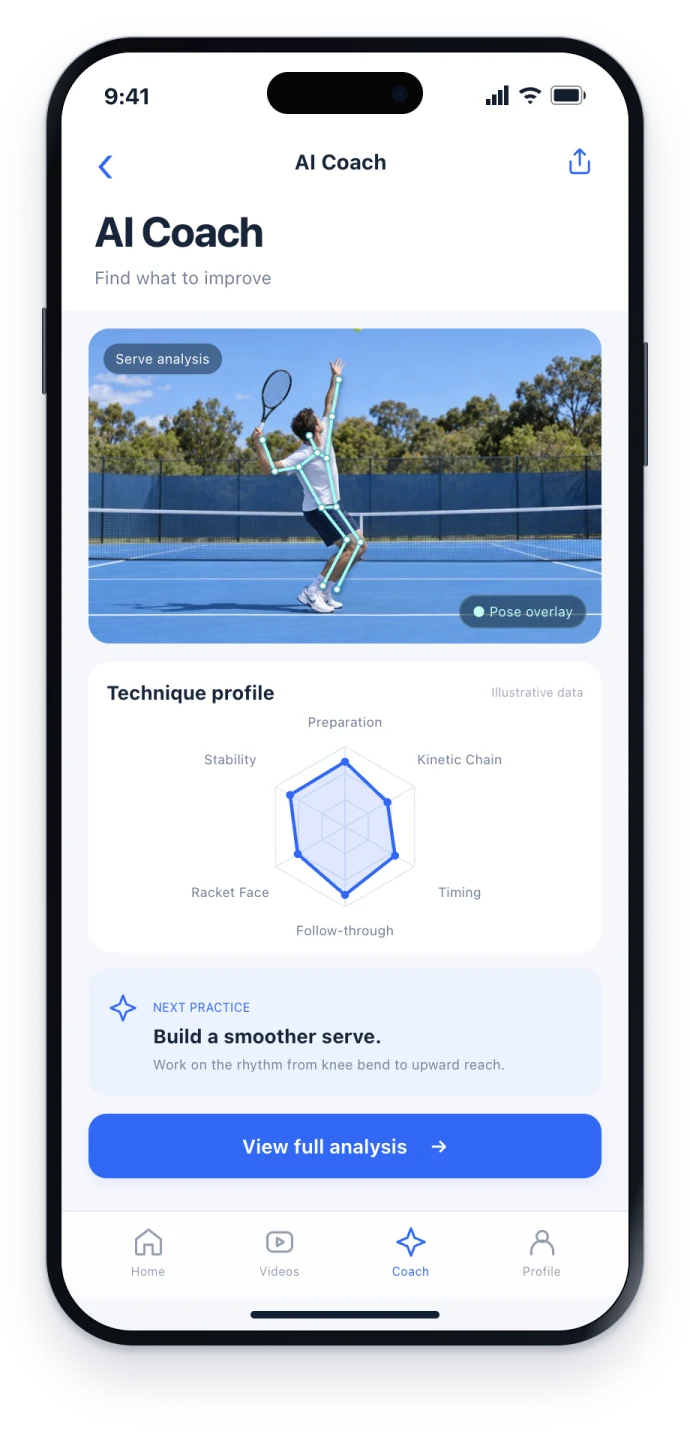
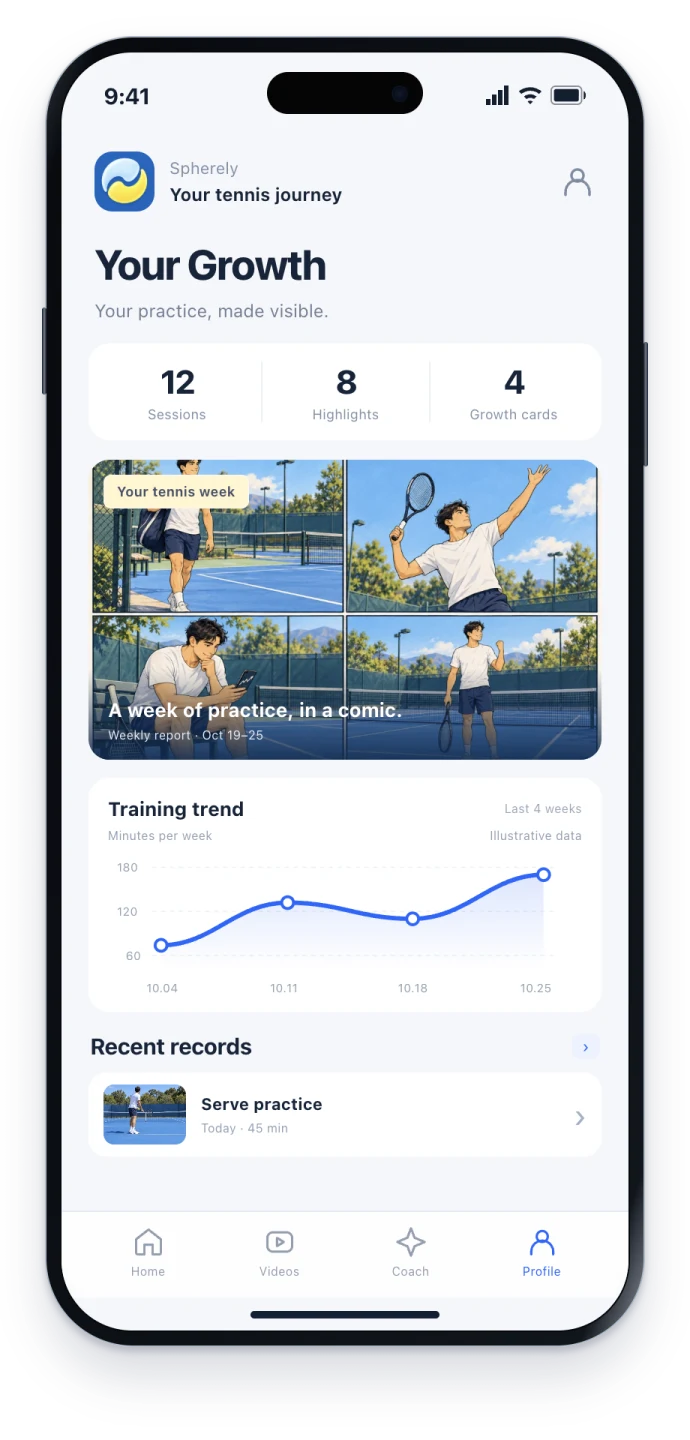
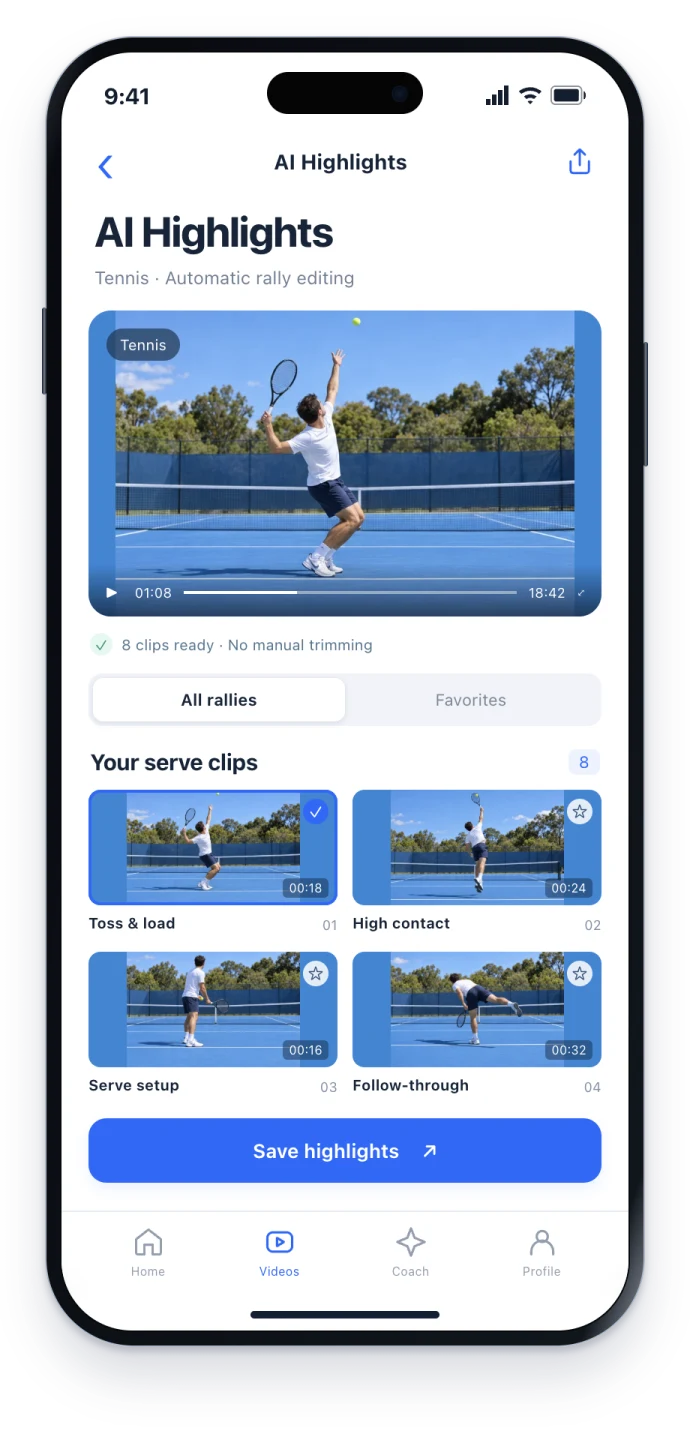
The recording is still waiting for next time
A badminton practice or a casual game often means half an hour of phone footage. Cutting a few smashes or rallies by dragging the timeline is easy to put off. Wanting to know whether the smash was late, or whether the split step into a smash defense was enough, still leaves you without feedback you can take back on court.
If you are looking for badminton-focused video organization and technique feedback, start with how Spherely covers badminton, and take the depth of the current version as it is.
Find the playing clips automatically, and spend less time editing
AI can find the playing clips in a long recording. You choose what to save or share, instead of cutting the whole video by hand.
- Film a steady video that shows both players hitting and the court in general, or use a video you already have.
- Import it in the Spherely app. This website cannot upload video.
- Review the clips that were found, then decide which ones to keep.
For the method, see the tennis automatic rally editing guide. Badminton-hall lighting, net height and occlusion differ from tennis, so record a few test seconds before you start.
AI coach: understand the technical point, and take a suggestion back on court
After you import a clear movement video, you can review technique feedback, a direction to improve, and practice suggestions. It fits when you focus on one or two points at a time, such as smash preparation or the racket face on a net shot, rather than expecting one complete diagnosis.
After you open the app, follow the analysis screen you see. The detail shown can differ by version.
Growth profile
Training videos, AI suggestions and history can stay together in your personal growth profile, so you spend less time searching the camera roll for the last clip. You can also look back over a period with a weekly or monthly report. What is available follows the current version.
Leave a little more of the picture that can be analyzed
- Try to include the player and the full shot. Heavy camera shake makes both clip-finding and analysis harder.
- In an indoor hall, watch for backlight and exposure.
The general principles are in how to film for AI coaching. Then try a short clip on a badminton court.
How to choose among badminton apps
| What you care about | Spherely | ShuttleAI / Shuttle Coach | goSmash | FrankBadminton |
|---|---|---|---|---|
| Main use | Editing, technique feedback and a growth profile across racket sports | Practice log, on-device swing joint angles, and a practice menu | Shot and trajectory analysis, skeleton, highlights, and an AI coach | On-device AI scoring and player matching; a movement overlay |
| Clips from a long recording | Supports this direction; badminton depth follows the current version | See their app | Includes highlight-related capability (see their description) | See their app |
| What the visuals emphasize | Follow the screen in your app | On-device joint angles (see their description) | Skeleton and related visuals (see their description) | Movement overlay (see their description) |
| Finding players | Community and player-matching exist separately (not the focus of this page) | See their product | See their product | Includes player matching (see their description) |
| Platforms | iPhone and Android | See their store | See their site | See their store |
Learn about the other products: Shuttle Coach / ShuttleAI on the App Store · gosmash.app · FrankBadminton on the App Store
Questions to ask first
- Do I need clips from a long recording, or live on-device swing angles?
- Am I comfortable with badminton in a multi-sport app changing by version, or do I want badminton-only depth?
- Do I need player matching, or only practice review?
Keep going
Badminton rally editing
Record one badminton court, import the match into Spherely on iPhone or Android, and review the AI-suggested rallies before exporting.
Tennis camera setup
Pick a camera angle for tennis match highlights or AI stroke feedback. Compare a wide baseline setup with a full-body side view and check a short test clip.
Automatic rally editing
Import a tennis recording on iPhone or Android, let Spherely find the rallies, and review the cuts before saving a highlight reel.
Cost and boundaries
- Includes paid features. Plans and allowances are shown in the app.
- AI feedback is not an official rating, and it does not replace a coach.
- Features vary by sport and app version.
- You can download it for iPhone and Android.
One app. Six sports.
Built around the sports you keep coming back to.
A FEW THINGS TO KNOW
Badminton questions
Is there a badminton AI coach app?
There are several to choose from. Spherely supports badminton and offers AI-coach features; what you see follows the current version.
Can Spherely cut a badminton video automatically?
You can find clips automatically and then choose what to save. Whether recognition and export match what you expect is something to check in the current version of the app.
What happened to the old badminton tools page?
The shoe and review utilities can still be found from this page. If the full tools page has moved, this page keeps an entry to it.
How do I choose between this, goSmash and ShuttleAI?
Use the questions above to match your priority — clip editing, on-device joint angles, a skeleton report, or finding players — rather than looking for one ranking.
Does it work on Android?
Yes. See the download page.

A practical next step
Download Spherely, import a badminton practice or match video, and try finding clips, then choosing what to save. If you have a clear short movement clip, try the AI coach and take only one or two practice points back on court.
Download Spherely · Import a badminton video · Review the feedback
Download Spherely Download for Android
Available for iPhone and Android