How should you film tennis for AI coaching or rally editing?
Pick a camera angle for tennis match highlights or AI stroke feedback. Compare a wide baseline setup with a full-body side view and check a short test clip.
SPHERELY TENNIS GUIDE
Import a tennis match recording into Spherely on iPhone or Android. AI identifies candidate rallies, then you preview the clips and choose which points to keep before exporting. Video import happens in the app.
For your next match, secure the phone behind the baseline and check that both players and the relevant court stay visible. Record continuously through the points so the app can see where play starts and ends.
In Spherely, choose Tennis and open automatic editing. Select the recording from your phone and follow the prompts. Labels and editing options can vary by app version. Previewing the suggested clips lets you skip downtime such as collecting balls and switching ends.
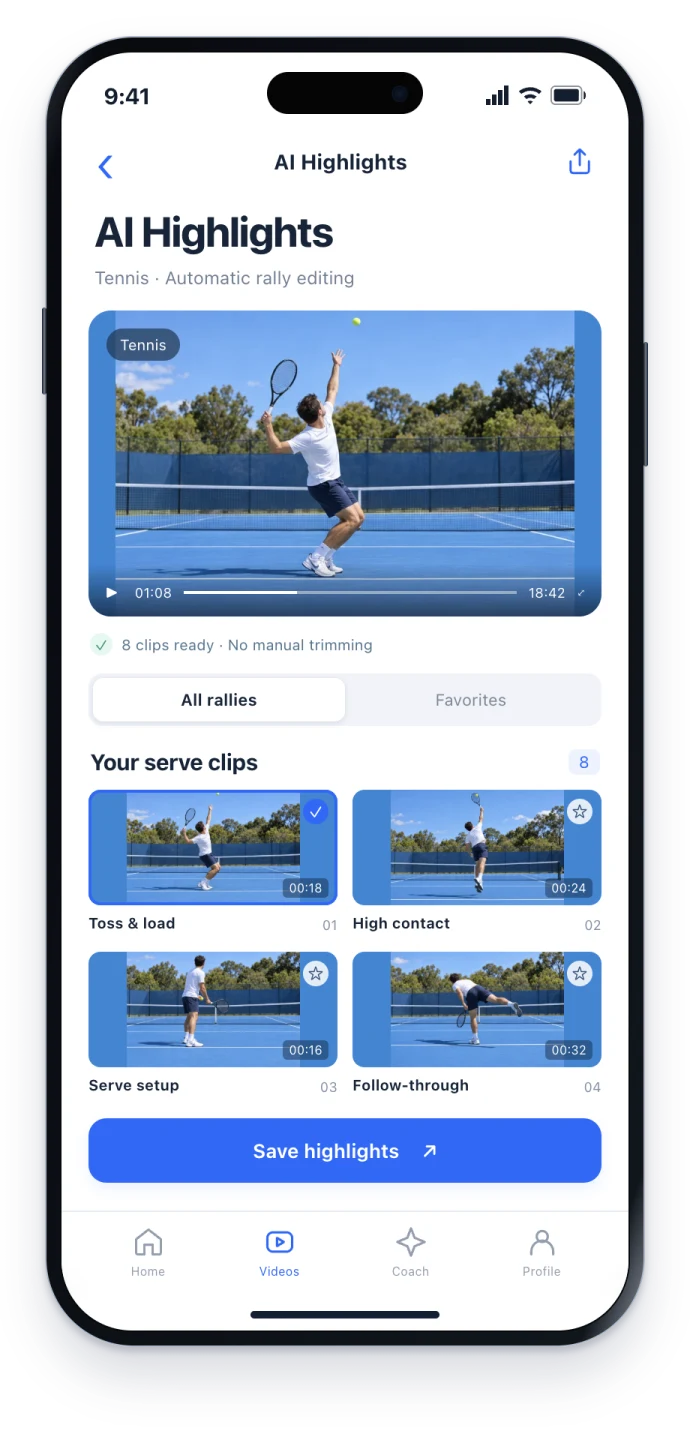
AI suggests clips for you to review. If a rally is missing or its ends look wrong, check the same moment in the original. Players leaving the frame, camera movement, and poor lighting can make the start or end harder to identify.
A wide match recording is useful for finding points. For feedback on a serve or forehand, record a separate clip that shows one player, their footwork, the racket, and the full swing. Use AI Coach for that clip.
Use the App Store for iPhone or the Android page to choose Google Play or an APK for your region. The download hub lists all device options. Check the current app for feature availability and usage limits.
Start with one continuous stretch of play. Check that the points you care about are in the preview, then save the clips you want to revisit.
COMMON QUESTIONS
Yes. Get Spherely for your device and open automatic editing for Tennis. Check your installed version for the available editing and export options.
Yes, if the video is available on your phone and the relevant players and play are clear. Follow the app's import requirements.
Open the mobile app to import and edit. The website provides instructions and download links.
Spherely includes paid features. Check current plans and allowances in the app before starting.
For technique feedback, a dedicated clip with your full body, racket, and the entire serve in frame gives AI Coach a clearer view.

Get Spherely, import a recording, and choose the points you want to keep.
Available for iPhone and Android