How do you use an AI tennis coach on a stroke video?
Film one clear forehand, backhand, or serve. Use Spherely on iPhone or Android to review technique, pick one cue, and compare the next clip.
SPHERELY GUIDE
To work on a tennis stroke, film the whole player and the full swing, then review technique feedback and practice cues in Spherely on iPhone or Android. To pull rallies out of a long recording, use automatic editing instead. Results depend on the picture and the current app version. This is not an official rating, and this page cannot upload video.
After practice, the camera roll may hold a long recording. A forehand, serve, or follow-through question needs one technical point and a cue for the next session, not a highlight first.
Spherely keeps the two paths separate. Automatic editing finds rally clips in a long match or practice recording, and you choose what to save. AI Coach imports a clear stroke clip, shows technique feedback and practice cues, and keeps the record in your growth archive.
After you import a stroke video in the mobile app, you can review technical detail, a point to change, and a practice cue, and keep the session in your growth archive. Some versions include a weekly or monthly review. What that review looks like depends on the current app version.
Work on one or two points, then film another clip. Analysis depth can differ by sport and version. Use the screen you see in the app.
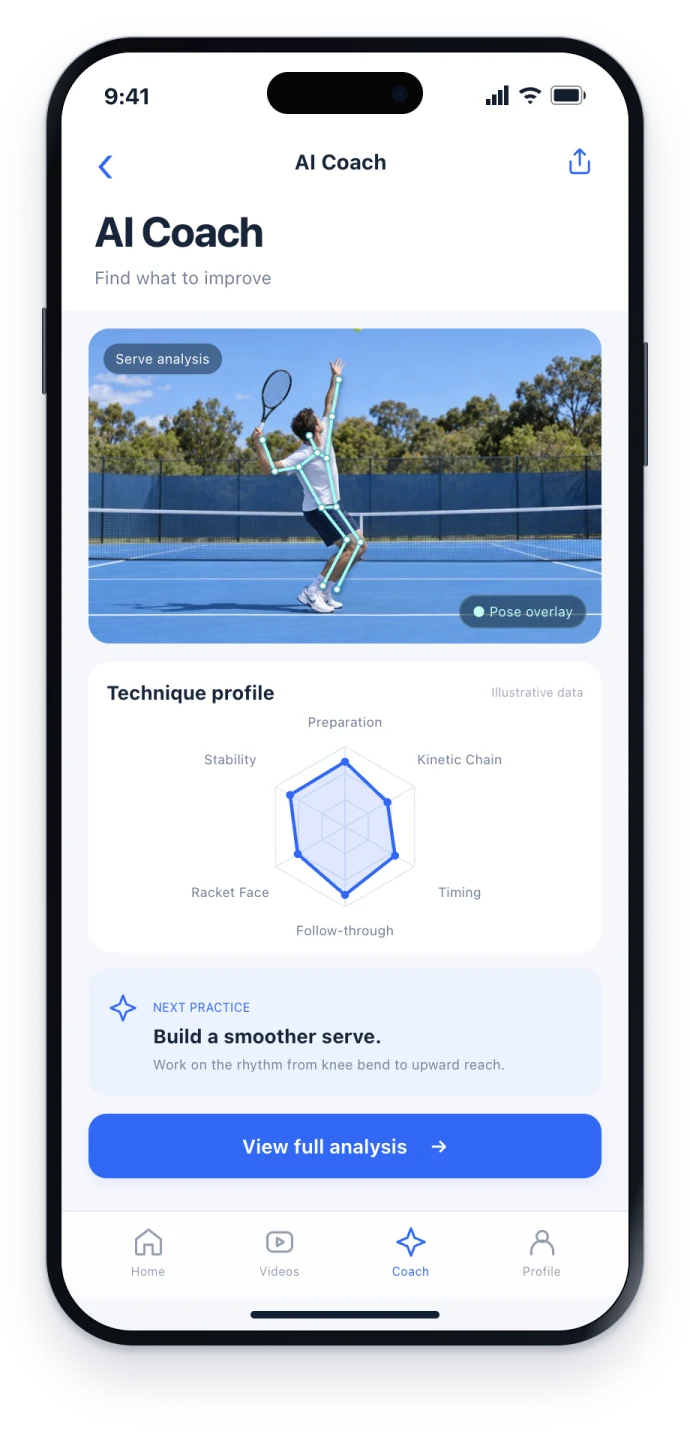
A stroke review needs the preparation, contact, and follow-through in frame, with a steady picture. Play back a short test before the full take. Do not crop the player in half.
Use the feedback as a starting point for review, or discuss the clip with a coach. It does not replace long-term coaching or on-court judgment, and it is not an official rating.
This page cannot upload video. Import it in the app. Spherely includes paid features; check the current plan in the app. Results vary by player, filming, and version. Choose the function that matches your question. This page does not rank apps.
Use the App Store for iPhone or the Android page to choose Google Play or an APK for your region. The download hub lists all device options. Check the current app for feature availability and usage limits.
Download Spherely, import a clear tennis stroke in the app, and take one practice cue into the next session. Use automatic editing when you want to organise a whole match.
COMMON QUESTIONS
Film a clear stroke and review technique feedback and practice cues in the app. Spherely provides this AI Coach function. The current version determines the screen you see.
Spherely includes automatic editing, AI Coach, and a growth archive. Use automatic editing to save rallies, and AI Coach to review a stroke. You do not have to use both.
No. Use the stroke-analysis screen in the current app. This page is about technique feedback and practice cues.
No. Use the feedback as a review starting point, or discuss the clip with a coach.
Yes. Spherely is available for iPhone and Android. The Android download link on this page lists the channels.
Yes, when the stroke is clear and the app accepts the import. This page cannot upload the video.

Download Spherely and import a clear tennis stroke in the app to review technique feedback and practice cues.
Available for iPhone and Android